
Enquiries & quotations
Capture rate requests, build quotes with buy and sell rates per charge, see the margin before you send, and email the quote.
Logistics runs a freight forwarding business from the first rate enquiry to the final receipt: sea, air and land jobs, customs clearance, GST invoicing and full accounting — for companies with one branch or many.
No sign-up · sample data · runs in your browser
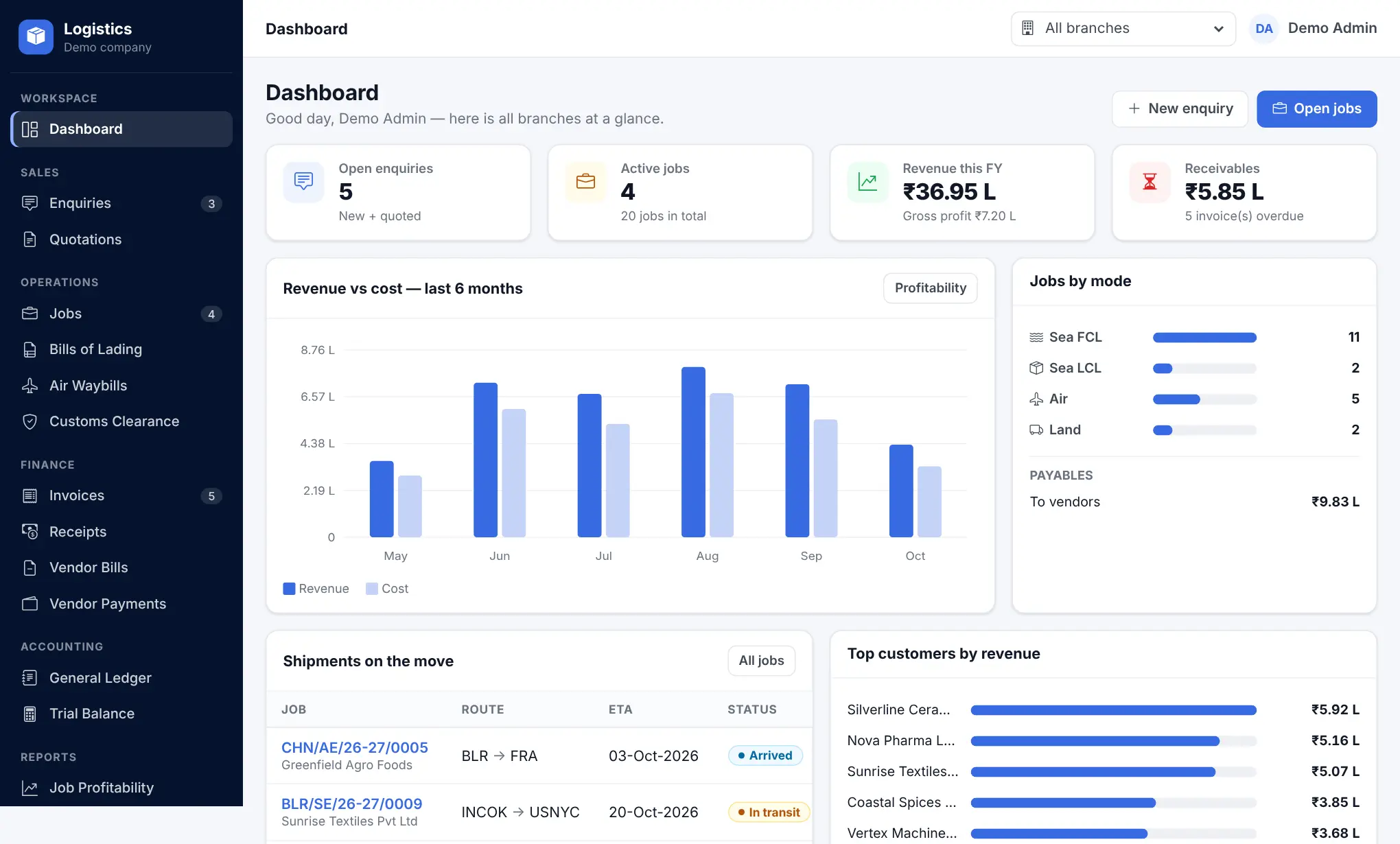
A forwarder's day jumps between rate sheets, booking mails, BL drafts, customs filings, invoices and the accounts team. Logistics keeps all of it on one record: an enquiry becomes a quotation, the approved quotation becomes a job, and the job carries its milestones, documents, costs and billing until it is closed.
Every invoice, receipt, vendor bill and payment posts to the ledger automatically, so the trial balance, GST summary, outstanding report and job-wise profit are always up to date — for each branch and for the whole company.
From the sales desk to the finance desk — each module talks to the next one.
Capture rate requests, build quotes with buy and sell rates per charge, see the margin before you send, and email the quote.
Sea FCL/LCL, air and land jobs for export and import, with milestone templates, carriers, vessels and ETD/ETA.
Bills of lading, air waybills with AWB stock, cargo manifests and document templates — draft, check, release.
Shipping bills and bills of entry tracked stage by stage, with a CHA portal for your clearing partners.
Invoices from jobs, credit and debit notes, external invoices and GST e-invoice — tax split by place of supply.
Purchase orders, vendor bills against jobs, expense vouchers and vendor payments with bill-wise settlement.
Chart of accounts, journal and contra vouchers, general ledger, trial balance, bank reconciliation, opening balances and period lock.
Job profitability, outstanding and credit control, GST compliance and a report builder for your own reports.
Reads your company mailboxes — enquiries, vendor bills and RFQ replies land in the right place in the tool.
Parties, ports, carriers, charges, commodities, units, currencies, sales people and more — set up once, used everywhere.
Users and roles with branch-level access, an approval matrix for credit notes and RFQs, and full activity logs.
Each branch keeps its own GSTIN, users and documents; head office sees every branch together.
A customer asks for a rate — by phone, mail or the customer portal.
Buy and sell rates per charge; the margin is shown before you send.
The approved quote opens a job with its milestones and charges.
BL or AWB, manifest and the clearance, step by step.
GST invoice from the job; receipts and vendor payments settle it.
Ledger, trial balance, GST and job profit update on their own.
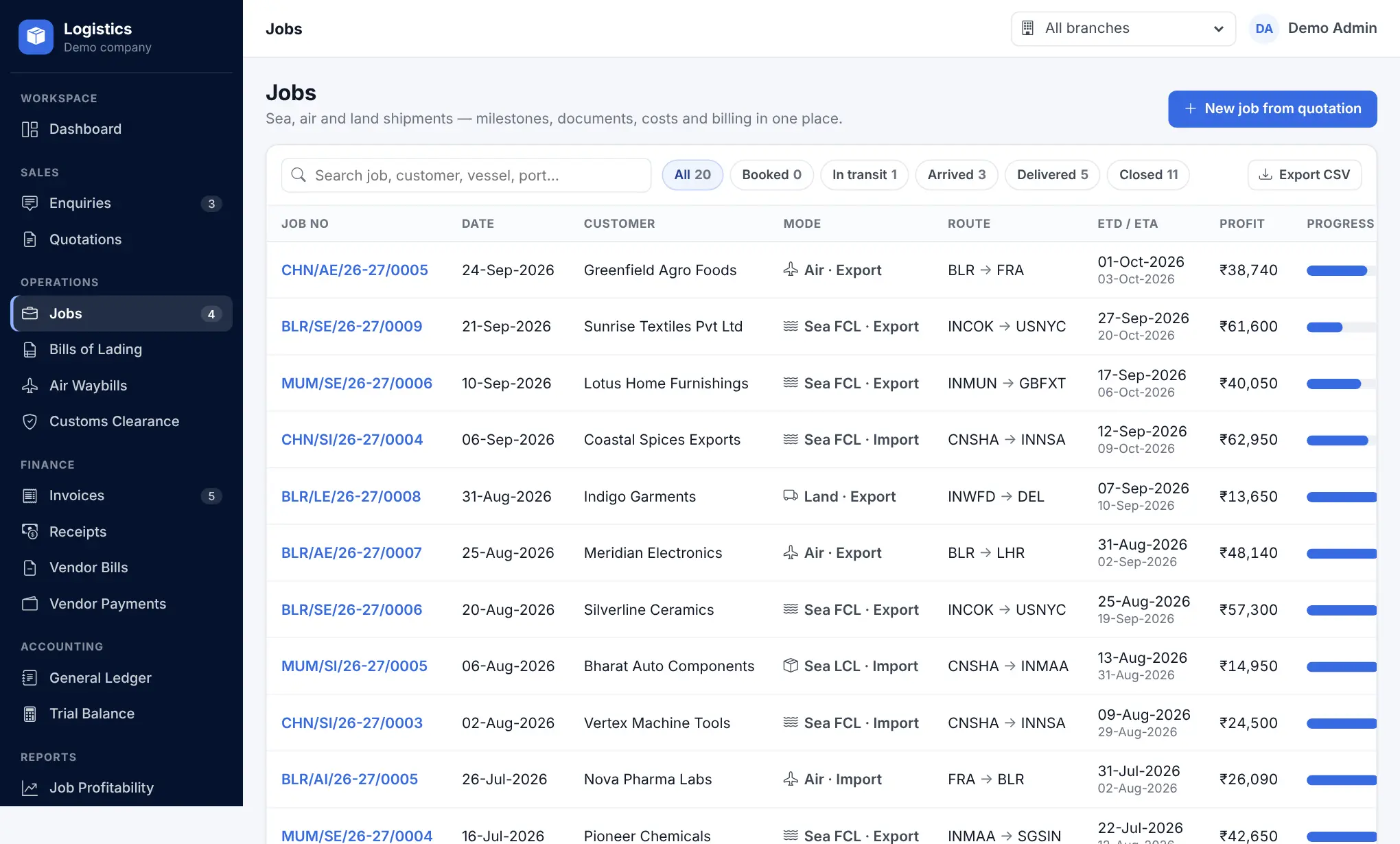
Filter by status, search by job, customer, vessel or port, and open any job to tick off milestones, check documents and raise the invoice.
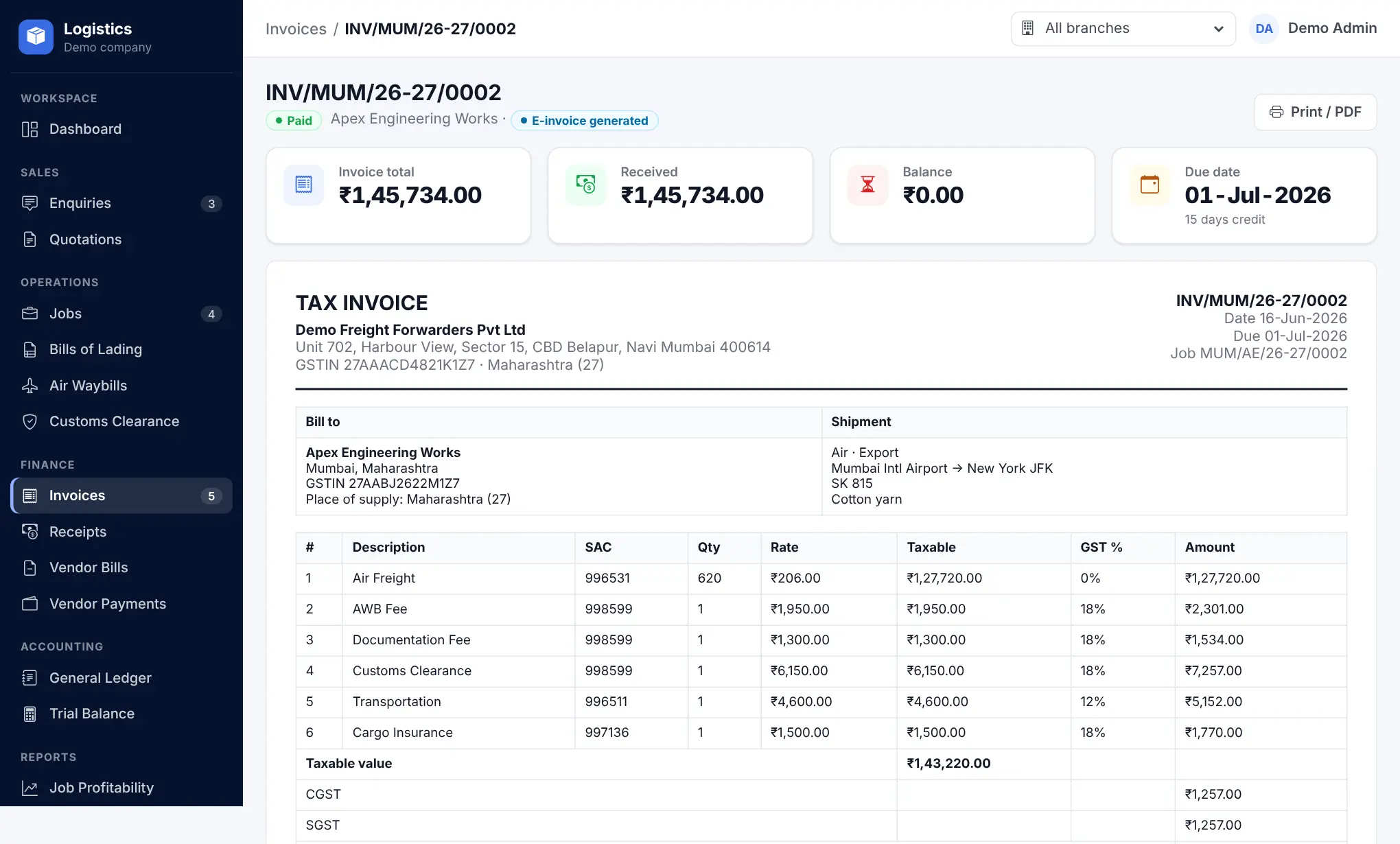
Invoices come straight from the job's sell rates. CGST + SGST or IGST is decided from the branch and the customer's state, and the entry reaches the ledger the moment you save.
Your team, your customers and your customs partners each get their own sign-in.
The live demo is a clickable copy of Logistics with sample data. Create an enquiry, approve the quote, move the job, raise the invoice and watch the ledger update. Nothing to install, nothing is saved on our servers.
The Dynamic Engine behind your digital success.
Bengaluru, Karnataka, India
Dygine — short for Dynamic Engine — is a full-service software company from Bengaluru. It was founded with a simple mission: to build technology that genuinely moves businesses forward, with an engineering-first approach — clean code, scalable architecture and ownership of what ships.
Dygine builds AI-powered platforms, SaaS products, mobile apps and ERP/CRM systems for startups and businesses — from first MVPs to enterprise transformations. Logistics is one of those platforms.
Figures as published on dygine.com.